
Using Internal peripherals of AVR MCUs.

Each AVR MCU has several internal peripherals that give powerful abilities to your projects. For example internal ADC can be used to convert analog value (say voltage output of some sensor) to a digital value that you can use. And a USART(Universal Synchronous Asynchronous Receiver Transmitter) can be used to connect your MCU with PC. (Example use – A PC serial mouse or A PC controlled Toy Rocket Launcher). This tutorial gives you overview of the process used to interface with these peripherals. Internal peripherals. Now you know the basics of peripherals, lets see what peripherals are available in ATmega16 MCU. Two 8-bit Timer/Counters with Separate Prescalers and Compare Modes One 16-bit Timer/Counter with Separate Prescaler, Compare Mode, and Capture Mode Real Time Counter with Separate Oscillator Four PWM Channels 8-channel, 10-bit ADC 8 Single-ended Channels 7 Differential Channels in TQFP Package Only 2 Differential Channels with Programmable Gain at 1x, 10x, or 200x Byte-oriented Two-wire Serial Interface Programmable Serial USART Master/Slave SPI Serial Interface Programmable Watchdog Timer with Separate On-chip Oscillator On-chip Analog Comparator Interfacing Technique. Fig: Using internal peripherals of AVR MCUs. A peripheral is connected to MCU by some special registers. The different registers of any peripherals can be logically of two types- 1)Data registers – which usually contains some data, say byte received from USART or […]
Using LCD Module with AVRs

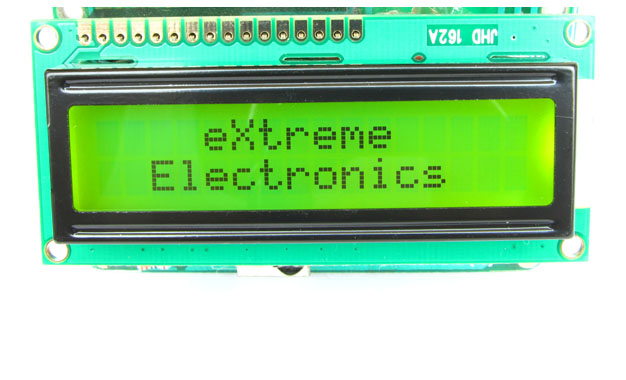
When you start working with LCD modules you will start feeling the real power of MCU and your imaginations will be touching sky you will wonder how many exciting a powerful gadgets you can create and that’s so very easily. LCD Modules can present textual information to user. It’s like a cheap “monitor” that you can hook in all of your gadgets. They come in various types. The most popular one can display 2 lines of 16 characters. These can be easily interfaced to MCU’s, thanks to the API( Functions used to easily access the modules) we provide. LCD interfacing is just fun ! Fig: A 16×2 LCD Module Buy LCD Modules Online In India   PIN Configurations. The lcd modules has 16 PINs for interfacing. The details are given below. LCD Module Pin Configuration 1 VSS (GND Supply) 2 VCC (+5V) 3 VEE (Contrast Adjust) 4 RS 5 R/W 6 E 7 DB0 8 DB1 9 DB2 10 DB3 11 DB4 12 DB5 13 DB6 14 DB7 15 LED + 16 LED –   Connection with ATmega8/ATmega168 etc. The lcd module can be easily connected to the any 28 pin AVR MCU like ATmega8/ATmega168/ATmega328 etc. The diagram below shows the LCD connection with AVR MCUs port pins. Fig: Connection with 28 PIN AVR MCUs Connect the required pins of […]

DC Motor Control using AVR MCUs

Motor gives power to your MCU. Ya power to do physical works, for example move your robot. So it is essential to know how to control a DC motor effectively with a MCU. We can control a DC motor easily with microcontrollers. We can start it, stop it or make it go either in clockwise or anti clock wise direction. We can also control its speed but it will be covered in latter tutorials. A Geared DC Motor. DC Motor A DC motor is electromechanical device that converts electrical energy into mechanical energy that can be used to do many useful works. It can produce mechanical movement like moving the tray of CD/DVD drive in and out (you may like to try it out Go to My Computer, right click the drive icon and click “Eject”). This shows how software controls a motor. DC motors comes in various ratings like 6V and 12V. It has two wires or pins. When connected with power supply the shaft rotates. You can reverse the direction of rotation by reversing the polarity of input. Control with AVR MCUs As the MCUs PORT are not powerful enough to drive DC motors directly so we need some kind of drivers. A very easy and safe is to use popular L293D chips. It is a 16 PIN […]