
xBoard™ :: ATmega32 Development Board.

Here are some Videos that demonstrate the xBoard – a easy to use but powerful development system for Atmel AVR ATmega32 microcontrollers. For complete information about the xBoard™ see http://xBoard.eXtremeElectronics.co.in Video #1 xBoard™ :: AVR Dev-Board – Introduction This video tutorial gives you a quick introduction of the xBoard; easy-to-use and powerful Atmel AVR AtMega32 Microcontroller Development Board. Video #2 xBoard™ :: AVR Dev-Board – Hello World In this tutorial we will introduce you to the basic steps needed set-up and develop programs for the xBoard. We’ll write a LED blinking project which is a Hello World project for microcontroller arena. xBoard – a easy-to-use and powerful Atmel AVR AtMega32 Microcontroller Development Board. Video #3 xBoard™ :: AVR Dev-Board – LCD Interfacing This video tutorial teaches you how you can interface a standard 16×2 LCD Module with the xBoard – easy-to-use and powerful Atmel AVR AtMega32 Microcontroller Development Board. Video #4 xBoard™ :: AVR Dev-Board – IR-Remote This video tutorial shows you how to interface a DVD Player Infrared Remote Control with the xBoard, a easy-to-use and powerful Atmel AVR AtMega32 Microcontroller Development Board.
Timers in Compare Mode – Part II

Hello and welcome back to the discussion on the TIMERs in compare mode. In the last article we discussed the basics and the theory about using the timer in compare mode. Now its time to write some practical code and run it in real world. The project we are making is a simple time base which is very useful for other project requiring accurate computation of time like a digital clock or a timer that automatically switches devices at time set by user. You can use it for any project after understanding the basics. We will have three global variable which will hold the millisecond, second and minutes of time elapsed. These variables are automatically updated by the compare match ISR. Look at the figure below to get an idea how this is implemented. Fig – Using AVR Timer to generate 1ms Time base.     Complete Code #include <avr/io.h> #include <avr/interrupt.h> #include "lcd.h" //Global variable for the clock system volatile unsigned int clock_millisecond=0; volatile unsigned char clock_second=0; volatile unsigned char clock_minute=0; main() { //Initialize the LCD Subsystem InitLCD(LS_BLINK); //Clear the display LCDClear(); //Set up the timer1 as described in the //tutorial TCCR1B=(1<<WGM12)|(1<<CS11)|(1<<CS10); OCR1A=250; //Enable the Output Compare A interrupt TIMSK|=(1<<OCIE1A); LCDWriteStringXY(0,0,"Time Base Demo"); LCDWriteStringXY(0,1," : (MM:SS)"); //Enable interrupts globally sei(); //Continuasly display the time while(1) { LCDWriteIntXY(0,1,clock_minute,2); LCDWriteIntXY(3,1,clock_second,2); _delay_loop_2(0); […]

Timers in Compare Mode – Part I

Hi Friends, In last tutorials we discussed about the basics of TIMERs of AVR. In this tutorial we will go a step further and use the timer in compare mode . In our first tutorial on timer we set the clock of the timer using a prescaler and then let the timer run and whenever it overflowed it informed us. This way we computed time. But this has its limitations we cannot compute time very accurately. To make it more accurate we can use the compare mode of the timer. In compare mode we load a register called Output Compare Register with a value of our choice and the timer will compare the current value of timer with that of Output Compare Register continuously and when they match the following things can be configured to happen. A related Output Compare Pin can be made to go high,low or toggle automatically. This mode is ideal for generating square waves of different frequency. It can be used to generate PWM signals used to implement a DAC digital to analog converter which can be used to control the speed of DC motors. Simply generate an interrupt and call our handler. On a compare match we can configure the timer to reset it self to 0. This is called CTC – Clear Timer on […]

Interfacing Temperature Sensor – LM35

By interfacing different types of sensors with our MCU we can sense the environment and take decisions, in this way we can create "smart" applications. There are wide variety of sensors available. In this tutorial we will learn about a popular sensor LM35 which is precision centigrade temperature sensor. It can be used to measure temperature with accuracy of 0.5 degree centigrade. We can interface it easily with AVR MCUs and can create thermometers, temperature controller, fire alarms etc. Things Required   S. No. Item Image 1 28 PIN AVR Dev Board Contains the core AVR circuit including 5v regulator, reset, ISP. 2 Seven Segment Display Module Four common anode displays multiplexed with driver transistors and current limiting resistors. 3 Single Pin Female to Female Burg Wires Used to interconnect the two boards. And the sensor.   4 USB AVR Programmer To upload the program to the development board. 5 LM35 Temperature Sensor   LM35 LM35 by National Semiconductor is a popular and low cost temperature sensor. It is also easily available. You can buy one from here online. It has three pins as follows. Fig – LM35 Pin Configuration     The Vcc can be from 4V to 20V as specified by the datasheet. To use the sensor simply connect the Vcc to 5V ,GND to Ground and the […]

Multiplexed Seven Segment Displays – Part II

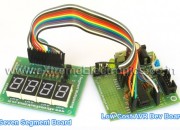
Hi Friends, In last tutorial we discussed about Multiplexing Seven Segment Displays. So you must be very much familiar with the theory. Now let us write the code and design a small project that will make you expert in using these displays in your own projects. We will make a system that can display any number between 0-9999 using four of these displays. We will design a function Print() that we can use on latter projects to easily write integers onto displays. Once we have successfully tested this function we can add to to any project without any problem. This concept of code reuse will make bigger project both easy to make and far less painful. In this sample project we will test our function by using it in a loop to print all numbers from 0-9999. for(i=0;i<10000;i++) { Print(i); Wait(); } Things Required S. No. Item Image 1 28 PIN AVR Dev Board Contains the core AVR circuit including 5v regulator, reset, ISP. 2 Seven Segment Display Module Four common anode displays multiplexed with driver transistors and current limiting resistors. 3 Single Pin Female to Female Burg Wires Used to interconnect the two boards   4 USB AVR Programmer To upload the program to the development board. These are all the things required to get started with seven segment […]

Multiplexed Seven Segment Displays.

We have discussed the basics of seven segment displays on our tutorial “Using Seven Segment Displays with AVR MCUs”. So you should be familiar with them. In this tutorial we will discuss about multiplexing of seven segment displays.Multiplexing is required when we want to interface 3 or 4 or even more such displays with MCUs since it we go for normal way it will require lots of IO port. So the smart way is multiplexing. Multiplexing achieved by tricking our eyes. Only one display is active at a time but we see all of them active. For multiplexing all the displays are connected in parallel such that if you activate any segment, say ‘a’ the ‘a’ segment of all displays glows up. But the trick is that we can switch on and off the “common” line of the displays under MCU control. So if we wish to light up the ‘a’ segment of display 2 we simply switch on display 2 first by applying proper level at the base of its driving transistor as shown in figure. Fig – Multiplexed Seven Segment Displays. If we like to display the digit say “123” on three displays first we select disp-3 by applying a “low” level at the base of transistor Q1 and output the code of required digit at the data […]