
Buy xBoard NOW !
Free shipping across India ! Pay Cash on Delivery ! 15 Days Money Back!
If you want a live demo of this, please register from the link given below. (Only in Pune)
REGISTER NOW!
This project can also be implemented using a PIC18F4520 microcontroller. We have schematic and C library available.
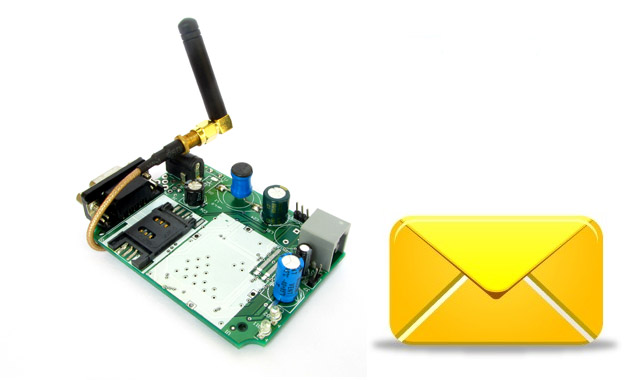
Hi friends in this part we will have a look at the functions related to text messages. By the end of this article you will have a clear idea of how to wait for a text message, read the message, send a new text message and deleted a received message. We have already discussed the basics of SIM300 GSM Module interface with AVR MCU in our previous tutorial you can refer that article to know about the schematic and basic communication code.
After reading the above article you will know how we have connected the SIM300, AVR ATmega32 and LCD Module to make a basic test rig. Also covered in the article is the detail about the communication method between SIM300 and AVR which is called asynchronous serial communication, done using AVR’s USART peripheral. The article shows you how to use the AVR USART library to send and receive data to/from the GSM Module. We have also discussed the command response method used for the interfacing with the module. Working code is provided that shows you how to implement the command response based communication over USART with the SIM300 GSM Module. Those techniques are used through out this article so we recommend you to go through the article and do the demo project given there.
Waiting for a text message (SMS)
When a text message (SMS) arrives on SIM300 GSM Module it sends a unsolicited response <CR><LF>+CMTI: <mem>,<n><CR><LF>
I have already told in previous article that <CR> refers to a control character whose ASCII is 0D (Hex) and <LF> with ASCII code of 0A(Hex). The new thing you will learn about is unsolicited response. Earlier I told commands are followed by response. But the response discussed above is not followed by any command, it can come at any moment. So it is called an unsolicited response.
value of mem is the storage location where the sms was stored. Usually its value is SM, which stands for SIM memory.
the value of n is the sms slot on which the incoming message was stored. Depending on the size of storage in your SIM card their may me 20 or so slots in your card. When a message is received it is stored in the lowest numbered empty slot. For example you first received 4 messages then deleted the 1st message, then 5th message will get stored in slot 1.
Code Example showing how Wait for a message.
int8_t   SIM300WaitForMsg(uint8_t *id)
{
   //Wait for a unsolicited response for 250ms
   uint8_t len=SIM300WaitForResponse(250);

   if(len==0)
      return SIM300_TIMEOUT;

   sim300_buffer[len-1]='\0';

   //Check if the response is +CMTI (Incoming msg indicator)
   if(strncasecmp(sim300_buffer+2,"+CMTI:",6)==0)
   {
      char str_id[4];

      char *start;

      start=strchr(sim300_buffer,',');
      start++;

      strcpy(str_id,start);

      *id=atoi(str_id);

      return SIM300_OK;
   }
   else
      return SIM300_FAIL;
}
Code Walkthrough
- We wait for a response from SIM300 with a time-out of 250 millisecond. That means if nothing comes for 250 millisecond we give up!
- If we get a response, SIM300WaitForResponse() returns its length till trailing <CR>. So suppose we got <CR><LF>+CMTI: SM,1<CR><LF> then len will be 14.
- Next line
sim300_buffer[len-1]='\0';puts an NULL character at position len – 1 that is 13(points to last <CR>). So the response actually becomes <CR><LF>+CMTI: SM,1 - Now we want to check if the first 6 characters are +CMTI: or not, we check first 6 characters only because the <n> following +CMTI is variable. Remember it is the slot number where the message is stored! Also while comparing we want to ignore the case, that means +CMTI or +cMtI are same. This type of string comparison is easily done using the standard C library function strncasecmp(). Well if you have ever attended a C training session in school you must have remembered strcmp() , so you can look strncasecmp().So you can see only an n and case is added in the name of the function. n in the name indicate you don’t have to compare the whole string, you can check the first n characters. While the case in the name indicate a case in-sensitive match. Also you notice we don’t pass sim300_buffer (which holds the response) directly to the comparison function, but we pass sim300_buffer + 2, this removes the leading <CR><LF> in the response string.
- If the response matches the next step is to extract the value of <n>, i.e. the message slot id. As you can see the slot id is after the first comma(,) in the response. So we search for the position of first comma in the response. This is done using strchr() standard library function. Now start points to a string which is ",1".
- The we do start++, this makes start points to a string which is "1", but remember it is still a string. So we use standard library function atoi() which converts a string to a integer. Which we store in *id. Remember the parameter id is pass by reference type, if you don’t know what does that means go and revise your C book!
- Finally we return SIM300_OK which is a constant defined in sim300.h indicating a success to caller.
Reading the Content of Text Message
The command that is used to read a text message from any slot is AT+CMGR=<n> where <n> is an integer value indicating the sms slot to read. As I have already discussed that their are several slots to hold incoming messages.
The response is like this
+CMGR: "STATUS","OA",,"SCTS"<CR><LF>Message Body<CR><LF><CR><LF>OK<CR><LF>
where STATUS indicate the status of message it could be REC UNREAD or REC READ
OA is the Originating Address that means the mobile number of the sender.
SCTS is the Service Center Time Stamp.
This is a simple example so we discard the first line data i.e. STATUS, OA and SCTS. We only read the Message Body.
One of the most interesting thing to note is that three things can happen while attempting to read a message ! They are listed below.
- Successful read in that case the response is like that discussed above.
- Empty slot ! That means an attempt has been make to read a slot that does not have any message stored in it. In this case the response is <CR><LF>OK<CR><LF>
- SIM card not ready! In this case +CMS ERROR: 517 is returned.
Our function handles all the three situations.
int8_t   SIM300ReadMsg(uint8_t i, char *msg)
{
   //Clear pending data in queue
   UFlushBuffer();

   //String for storing the command to be sent
   char cmd[16];

   //Build command string
   sprintf(cmd,"AT+CMGR=%d",i);

   //Send Command
   SIM300Cmd(cmd);

   uint8_t len=SIM300WaitForResponse(1000);

   if(len==0)
      return SIM300_TIMEOUT;

   sim300_buffer[len-1]='\0';

   //Check of SIM NOT Ready error
   if(strcasecmp(sim300_buffer+2,"+CMS ERROR: 517")==0)
   {
      //SIM NOT Ready
      return SIM300_SIM_NOT_READY;
   }

   //MSG Slot Empty
   if(strcasecmp(sim300_buffer+2,"OK")==0)
   {
      return SIM300_MSG_EMPTY;
   }

   //Now read the actual msg text
   len=SIM300WaitForResponse(1000);

   if(len==0)
      return SIM300_TIMEOUT;

   sim300_buffer[len-1]='\0';
   strcpy(msg,sim300_buffer+1);//+1 for removing trailing LF of prev line

   return SIM300_OK;
}
Code Walkthrough
- Clear pending data in the buffer.
- A command string is built using the standard library function sprintf().
sprintf(cmd,"AT+CMGR=%d",i);- You must be knowing that the above code gives a string in which placeholder %d is replaced by the value of i.
- Command is sent to the SIM300 module.
- Then we wait for the response.
- Response is analyzed.
- Finally messages is read and copied to the memory address pointed by *msg using standard library function strcpy().
Sending a New Text Message
We will develop a function to easily send message to any mobile number. This function has the argument
- num (IN) – Phone number where to send the message ex "+919939XXXXXX"
- msg (IN) – Message Body ex "This a message body"
- msg_ref (OUT) – After successful send, the function stores a unique message reference in this variable.
The function returns an integer value indicating the result of operation which may be
- SIM300_TIMEOUT – When their is some problem in communication line or the GSM module is not responding or switched off.
- SIM300_FAIL – Message Sending Failed. A possible reason may be not enough balance in your prepaid account !
- SIM300_OK – Message Send Success!
int8_t   SIM300SendMsg(const char *num, const char *msg,uint8_t *msg_ref)
{
   UFlushBuffer();

   char cmd[25];

   sprintf(cmd,"AT+CMGS= %s",num);

   cmd[8]=0x22; //"

   uint8_t n=strlen(cmd);

   cmd[n]=0x22; //"
   cmd[n+1]='\0';

   //Send Command
   SIM300Cmd(cmd);

   _delay_ms(100);

   UWriteString(msg);

   UWriteData(0x1A);

	//Wait for echo
   while(   UDataAvailable()<(strlen(msg)+5)   );

   //Remove Echo
   UReadBuffer(sim300_buffer,strlen(msg)+5);

   uint8_t len=SIM300WaitForResponse(6000);

   if(len==0)
      return SIM300_TIMEOUT;

   sim300_buffer[len-1]='\0';

   if(strncasecmp(sim300_buffer+2,"CMGS:",5)==0)
   {

      *msg_ref=atoi(sim300_buffer+8);

      UFlushBuffer();

      return SIM300_OK;
   }
   else
   {
      UFlushBuffer();
      return SIM300_FAIL;
   }
}
Code Walkthrough
- The beginning of the function implementation is similar to those done above, first we flush the buffer and build command string. Command string must be like this :-
- AT+CMGS=<DA>, Where DA is the destination address i.e. the mobile number like AT+CMGS="+919939XXXXXX"
- This function
sprintf(cmd,"AT+CMGS= %s",num);gives a string like this AT+CMGS= +919939XXXXXX cmd[8]=0x22; //"this like replaces the space just before +91 with " so we have a string like this AT+CMGS="+919939XXXXXXcmd[n]=0x22; //" this adds a " in the end also so the string becomes AT+CMGS="+919939XXXXXX", but caution it removes the '\0' the null character that must be present to mark the end of string in C. So the following statement adds a NULL character at the end.cmd[n+1]='\0';
- Then we send the command string prepared above.\
- We now write the message body to SIM300 module using the function
UWriteString(msg); UWriteData(0x1A);Is used to send the control character called EOF (End of File) to mark the end of message.- Since SIM300 echoes back everything we write to it, so we remove the echo by reading the data from the buffer.
- Finally we wait for the response, read the response and compare it to find out whether we succeeded or not.
Deleting a Text Message
This function takes an integer input which should be slot number of the message you wish to delete. Function may return the following values.
- SIM300_TIMEOUT – When their is some problem in communication line or the GSM module is not responding or switched off.
- SIM300_FAIL – Message Deleting Failed. A possible reason may be an incorrect slot number id.
- SIM300_OK – Message Delete Success!
AT command of deleting a message is AT+CMGD=<n> where n is an slot of number of message you wish to delete. If delete is successful it returns OK. The function implementation is very simple compared to above functions. The steps are similar, that involves building a command string, sending command, waiting for response and verifying response.
int8_t   SIM300DeleteMsg(uint8_t i)
{
   UFlushBuffer();

   //String for storing the command to be sent
   char cmd[16];

   //Build command string
   sprintf(cmd,"AT+CMGD=%d",i);

   //Send Command
   SIM300Cmd(cmd);

   uint8_t len=SIM300WaitForResponse(1000);

   if(len==0)
      return SIM300_TIMEOUT;

   sim300_buffer[len-1]='\0';

   //Check if the response is OK
   if(strcasecmp(sim300_buffer+2,"OK")==0)
      return SIM300_OK;
   else
      return SIM300_FAIL;
}
SIM300 Message Send Receive Demo
To show all the above functions in working demo we have developed a small program. This program does all the basic routine task on boot up, that include the following :-
- Initialize the LCD Module and the SIM300 GSM Module.
- Print IMEI, Manufacturer name and model name.
- Then it checks SIM card presence and connects to network.
- When network connection succeeds its show name of the network. Eg. Airtel or Vodafone etc.
- Finally it sends a message with message body "Test".
- Then it waits for a message, when a message arrives reads it and displays on LCD.
- Then the message is deleted.
/******************************************************************************

A basic demo program showing sms functions.

                                     NOTICE
                           --------
NO PART OF THIS WORK CAN BE COPIED, DISTRIBUTED OR PUBLISHED WITHOUT A
WRITTEN PERMISSION FROM EXTREME ELECTRONICS INDIA. THE LIBRARY, NOR ANY PART
OF IT CAN BE USED IN COMMERCIAL APPLICATIONS. IT IS INTENDED TO BE USED FOR
HOBBY, LEARNING AND EDUCATIONAL PURPOSE ONLY. IF YOU WANT TO USE THEM IN
COMMERCIAL APPLICATION PLEASE WRITE TO THE AUTHOR.


WRITTEN BY:
AVINASH GUPTA
me@avinashgupta.com

*******************************************************************************/


#include <avr/io.h>
#include <util/delay.h>

#include "lib/lcd/lcd.h"
#include "lib/sim300/sim300.h"


void Halt();
int main(void)
{
   //Initialize LCD Module
   LCDInit(LS_NONE);

   //Intro Message
   LCDWriteString("SIM300 Demo !");
   LCDWriteStringXY(0,1,"By Avinash Gupta");

   _delay_ms(1000);

   LCDClear();


   //Initialize SIM300 module
   LCDWriteString("Initializing ...");
   int8_t r= SIM300Init();

   _delay_ms(1000);

   //Check the status of initialization
   switch(r)
   {
      case SIM300_OK:
         LCDWriteStringXY(0,1,"OK !");
         break;
      case SIM300_TIMEOUT:
         LCDWriteStringXY(0,1,"No response");
         Halt();
      case SIM300_INVALID_RESPONSE:
         LCDWriteStringXY(0,1,"Inv response");
         Halt();
      case SIM300_FAIL:
         LCDWriteStringXY(0,1,"Fail");
         Halt();
      default:
         LCDWriteStringXY(0,1,"Unknown Error");
         Halt();
   }

   _delay_ms(1000);

   //IMEI No display
   LCDClear();

   char imei[16];

   r=SIM300GetIMEI(imei);

   if(r==SIM300_TIMEOUT)
   {
      LCDWriteString("Comm Error !");
      Halt();
   }

   LCDWriteString("Device IMEI:");
   LCDWriteStringXY(0,1,imei);

   _delay_ms(1000);

   //Manufacturer ID
   LCDClear();

   char man_id[48];

   r=SIM300GetManufacturer(man_id);

   if(r==SIM300_TIMEOUT)
   {
      LCDWriteString("Comm Error !");
      Halt();
   }

   LCDWriteString("Manufacturer:");
   LCDWriteStringXY(0,1,man_id);

   _delay_ms(1000);

   //Manufacturer ID
   LCDClear();

   char model[48];

   r=SIM300GetModel(model);

   if(r==SIM300_TIMEOUT)
   {
      LCDWriteString("Comm Error !");
      Halt();
   }

   LCDWriteString("Model:");
   LCDWriteStringXY(0,1,model);

   _delay_ms(1000);


   //Check Sim Card Presence
   LCDClear();
   LCDWriteString("Checking SIMCard");

   _delay_ms(1000);

   r=SIM300IsSIMInserted();

   if (r==SIM300_SIM_NOT_PRESENT)
   {
      //Sim card is NOT present
      LCDWriteStringXY(0,1,"No SIM Card !");

      Halt();
   }
   else if(r==SIM300_TIMEOUT)
   {
      //Communication Error
      LCDWriteStringXY(0,1,"Comm Error !");

      Halt();
   }
   else if(r==SIM300_SIM_PRESENT)
   {
      //Sim card present
      LCDWriteStringXY(0,1,"SIM Card Present");

      _delay_ms(1000);
   }

   //Network search
   LCDClear();
   LCDWriteStringXY(0,0,"SearchingNetwork");

   uint8_t     nw_found=0;
   uint16_t tries=0;
   uint8_t     x=0;

   while(!nw_found)
   {
      r=SIM300GetNetStat();

      if(r==SIM300_NW_SEARCHING)
      {
         LCDWriteStringXY(0,1,"%0%0%0%0%0%0%0%0%0%0%0%0%0%0%0%0");
         LCDWriteStringXY(x,1,"%1");
         LCDGotoXY(17,1);

         x++;

         if(x==16) x=0;

         _delay_ms(50);

         tries++;

         if(tries==600)
            break;
      }
      else
         break;

   }
   LCDClear();

   if(r==SIM300_NW_REGISTERED_HOME)
   {
      LCDWriteString("Network Found");
   }
   else
   {
      LCDWriteString("Cant Connt to NW!");
      Halt();
   }

   _delay_ms(1000);

   LCDClear();

   //Show Provider Name
   char pname[32];
   r=SIM300GetProviderName(pname);

   if(r==0)
   {
      LCDWriteString("Comm Error !");
      Halt();
   }

   LCDWriteString(pname);

   _delay_ms(1000);

   //Send MSG
   LCDClear();
   LCDWriteString("Sending Msg");

   uint8_t ref;


   r=SIM300SendMsg("+919939XXXXXX","Test",&ref);//Change phone number to some valid value!

   if(r==SIM300_OK)
   {
      LCDWriteStringXY(0,1,"Success");
      LCDWriteIntXY(9,1,ref,3);
   }
   else if(r==SIM300_TIMEOUT)
   {
      LCDWriteStringXY(0,1,"Time out !");
   }
   else
   {
      LCDWriteStringXY(0,1,"Fail  !");
   }

   _delay_ms(2000);

   //Wait for MSG
   uint8_t id;

   UFlushBuffer();

   while(1)
   {
      LCDClear();

      LCDWriteStringXY(0,0,"Waiting for msg");

      x=0;
      int8_t vx=1;

      while(SIM300WaitForMsg(&id)!=SIM300_OK)
      {
         LCDWriteStringXY(0,1,"%0%0%0%0%0%0%0%0%0%0%0%0%0%0%0%0");
         LCDWriteStringXY(x,1,"%1");
         LCDGotoXY(17,1);

         x+=vx;

         if(x==15 || x==0) vx=vx*-1;
      }

      LCDWriteStringXY(0,1,"MSG Received    ");

      _delay_ms(1000);

      //Now read and display msg
      LCDClear();
      char msg[300];

      r=SIM300ReadMsg(id,msg);

      if(r==SIM300_OK)
      {

         LCDWriteStringXY(0,0,msg);

         _delay_ms(3000);

      }
      else
      {
         LCDWriteString("Err Reading Msg !");

         _delay_ms(3000);

      }

      //Finally delete the msg
      if (SIM300DeleteMsg(id)!=SIM300_OK)
      {
         LCDWriteString("Err Deleting Msg !");

         _delay_ms(3000);
      }

   }


   Halt();
}

void Halt()
{
   while(1);
}
Downloads
By
Avinash Gupta
Facebook,
Follow on Twitter.
www.AvinashGupta.com
me@avinashgupta.com

hi Avinash sir;
I am doing small scale embedded works, but most of them with 8051 core based MCUs. I purchased heavy books for studying AVR but the way you presented your tutorials are so simple that it can be understood by a beginner. Now am referring your site. I will surely say this is the best tutorial I ever found. I am ordering a usb avr programmer and an Xbord today itself. and will promote your business as I can
once more tons of thanks
hello sir
i try to work with sim 900 module which is compatable with sim 300 commands. almost all the commands are working and getting response ok. i can even read messages. but when i try to send message it gives error.
the command i used was
AT+CMGS=”7435131792″
Response was >
and i type message then i press ctrl+Z
i am getting error. i tried +44 before the number as well still i am getting error will you please help me to overcome this situation thanks
What error?
Hi Avinash,
I am using SIM900 module in my project. I need to send SMS in Regional language like HINDI, Kannada. Plz, suggest me a way.
Regards
Chaitanya
what error you are getting ?
if i put AT+CIMI=? i am getting ok, if put AT+CIMI? i am getting error
error is displayes as ERROR no other response. the same for getting messagecenter number as well and there i am getting “”,129, where 129 is the unknown . so do i need to set messge centernumber and mobile number before trying to send an SMS?
thanks a lot for your kind response because of time difference only i coudnt reply u on time sorry for that thanks
@Mukundan,
I am not asking what error you get when you send command AT+CIMI=?.
“AT+CMGS=”7435131792?
Response was >
and i type message then i press ctrl+Z
i am getting error. ”
those were your line, so please elaborate what error you are getting.
i am attaching the picture of the error window pls check it thanks
http://www.facebook.com/photo.php?fbid=258660377584302&set=a.258660304250976.58310.100003210244186&type=3&theater
sorry for the trouble
RESPECTED SIR
i am very happy to let you know that i have found the problem and the problem was message center number was not stored on sim i tried to send sms using phone at that time they ask for message centre number and after saving message centre number i can send sms using module
thanks a lot for your tutorial and i am proud to say that i am a big fan of you thanks a lot for your valuble time
Mukundan
Respected sir,
I am getting the same error. could you tell me how you set the message center no in sim?
@Kamesh,
See datasheet.
Once again a great tutorial.
Thank you for finding so much time and writing up the tutorials
I agree
hello avinash sir, there is no tutorial on touch screen interfacing usinga vr, could you please upload project/tutorial on touch screen interfacing using avr, thanks.
Pingback: SMS Based Voting System – AVR GSM Project | eXtreme Electronics
HI AVINASH.
VERY INFORMATIVE TUTORIAL , I MUST SAY .
I REQUIRE OUR HELP . I AM GETTING STUCK IN THE LAST STAGE i.e WHILE SENDING MSG . TILL THEN EVERYHING IS FINE.I AM ABLE TO VIEW NETWORK OPERATOR ON LCD .
ERROR IS ‘TIME OUT ERROR !’ (DISPLAYED ON LCD ) .
@Darshan,
You must be using incompatible hardware !
hey i am using SIM300 modem and AMEGA32
What was your order ID or purchase?
I got the modem from a local market in bangalore .
Ok, as you have NOT purchased from here we cannot guarantee about its quality. I thought you have got it from us so asked your order ID so that we can get it picked up from your address and check what was the problem with it.
Ok you may ask the vendor from where you bought them to replace it.
hmm ok ..i have one doubt in code as well . i believe we must execute this command to send a msg “AT+CMGF=1” .
I could not trace this in your code . Am i rit?
I wants to treat this project as a msg sending & reciving cellular phone,but how Sir?
Yes, You can use this project for making message sending and receiving cellular phone. For this you will need a user interface, this will require a graphic LCD and a few push buttons, with the help of these user can send and receive messages . This can be done through our graphical library, with the help this you can make your project.
For more information , refer https://extremeelectronics.co.in/avr-tutorials/interfacing-ks0108-based-128×64-graphical-lcd-with-avr-mcu/
hello sir i am a beginner in avr programming. u can say me the better way to learn it.
@Avinash
NO! You are too lazy !
HI AVINASH
Have you Sent the command ATE0 to Modem at the beginning of program?
@Abdul Majeed,
This is height of laziness! The program is given so please open and see for your self whether ATE0 command is given or NOT !
Sir
I am Sangeeth from kerala (India ) I am doing my 12th now . here we have a competition called electronics . we will get 30 marks if overcome state level with A grade . we have 3 hours time to make thinks . I like to make a home security which have a capability to send sms . I need some help to choose ic and gsm module and also the program . 9809915235 Is my mobile number . if ur kind heart sent me a text with above details
@Sangeeth, Yes I do have a kind heart. What help you are expecting from me?
You are asking to suggest me a IC, GSM Module and Program! All of which is already given above!
I thing people in India are getting too lazy ! And I think I am also one of them so am not able to do my work properly and you are expecting I will help you or any other guy who I never knew! If thats so then you are expecting too much !
Hello avinash sir..
Thanks a lot for these awesome tuts..I am making a project related to GSM module .I used your libraries and other programs and everything is working..
But i have also got stuck wid that “timeout” error while sending a message.. Is this problem related to any clock synchronisation or baud rate problem with the module.. because the mega 32 respond quite late for the indications from the GSM module…
Please guide me about this.. i have checked the message centre no. and its ok..
Hoping for a positive response…………
For Detail Contact VIshal Thakur No: 9852166911 At Office Time 10:00am To 01:00Pm
@Bipul,
Please tell me your Order ID and I will assign you a support staff to solve your problem as soon as possible 🙂
@ avinash sir..
Thankyou for your support.. bt i debugged the problem after spending some crazy time with module and programs.. finally its working… But one doubt…. i think you have not provided the AT command for entering the gsm module into text mode in your library of sim300… i added the command and it worked..
By the way thanks for your kind response….
@avinash
having tried to run your above code on sim300 interface with avr, i am facing errors .. kindly give your sim300.h header file..
awaiting ur reply asap.. thanq
@Dio,
Kindly give details of what error you are facing. Is it compile time error or runtime error?
In either case give detail what the error is showing or what unexpected is happening.
Other wise if you only want the sim300.h file here it is!
https://extremeelectronics.co.in/avrtutorials/code/SIM300SendReceiveMsgs.zip
Inside the package.
Hi Avinash,
1) Is there any reason why a NEW TATA DOCOMO SIM fails at NETWORK SEARCHING while OLD BSNL one connects (Both works fine on mobile)
2) Why, Even after having connected to NW and with proper balance Message sending Fails
@Brahma, Please provide your Order ID for the GSM Module and development boards.
Order #4751
As Mr. Bipul said, after entering into text mode, sending SMS is working.
But, TATA DOCOMO problem remains, it is entering into roaming while trying to connect.
Do you know how to find caller id while receiving ring. My task is to send an SMS automatically upon receiving a call.
every thing working fine.
first i checked the demo..
then this one .
in sending sms it is showing timeout.
any suggestion.
thanks in advance.
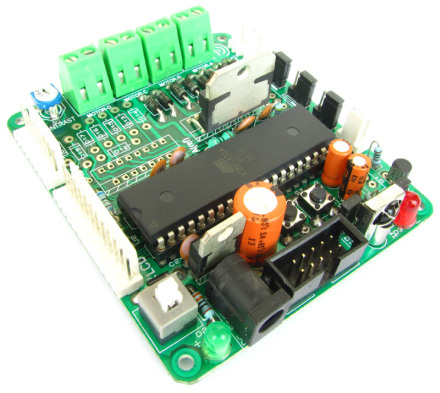
Are you using xBoard v2.0 as shown above ?
as per your circuit diagram i am using another board. everything is ok …the lcd is showing tomeout after sending sms
and then going in a state of waiting for sms……
i have not connected the inductance .
just power supply to microcontroller.
@Ajay,
Your hardware setup is faulty. Since I don’t know anything about “YOUR” board. I cannot tell what is the problem.
From where have you purchased the GMS Module?
check if this command is used in the code : ” AT+CMGF=1 “
check if this command is used in the code, probably u must add this : ” AT+CMGF=1 “
Hi Darshan, I added AT+CMGF=1. Now Message is sent from the module to my mobile. But, the program is waiting for message and is not sensing the message sent to it. Any suggestions ??
sir,
i m using atmega32A in place of atmega 32
is there any change in program or fuse bit?
@ Brijendra,
Contact customer care @0657-2224011
Dear Sir,
Please tell me that, can i use GSM SIM300 for sending SMS in JAVA…Please help me Sir and give me some idea for this
@Tejas S
Yes You can use if you have knowledge of java coding.
Avinash sir,
I am doing my final year project using sim-900 module and i was able to interface the module using pc but unable to send it using a microcontroller (atmega16)
i had bought the module from xtreme electronics.. please
help
@Vishnu,
Get whole working setup of ATmega32 + SIM300 @ Rs4000/-
That’s what I can do for you.
Don’t expect us to help and debug your project, its your task NOT ours.
We can do it for you, but only if you pay appropriate fees.
Do NOT think that if you have purchased the module we would help you in every phase of your project.
Pls check if this command is present in your code ” AT+CMGF=1 “. If not , pls add it . It will work !!!
@darshan, where exactly should I add “AT+CMGF=1” ?? in the code..
Are u facing a TIME OUT error ??
yes darshan
I got a timeout error what might be the problem it seems you were facing the same problem. got a suggestion?
@vishnu -add AT+CMGF=1 in the code . IT is not a hardware issue.
Refer to a post in this dated October 17, 2012 at 5:28 pm by bipul .
hello sir ,
i am tring to make a gsm based notice display
for which i m using same circuit & programe.
i thought of changing the code but brfore that i tried to make this first ….. but it at after initializing….
it shows no response..
it thought of ubrrvalue i m using 8Mhz ocltr so i made it 51
plz tell me what modification i should do..
component
sim 300 module with on board Tx,Rx pin ( i m using them connecting them directtly to atmega 16..
and LCD 20X4
atmel studio 6 & sina prog for burning.. the code….
plz reply asap….
thanks & regard
@ankit kumar
Please get a ready made and tested setup from us.
Please check my previous comments . U need to put the modem into sms/message mode .AT+CMGF=1 is the command
Sir, I made this project. Everything is working ok. But on sending msg, lcd is showing sms failed ! and while getting msg on lcd threre is a numerical value instead of characters.
@Ashok Kumar
What is your Order ID for Purchase of parts from us?
Sir, i purchased GSM Module from a dealer and made the hardware myself.
it is very good work sir.
can you please help me to make enotice board on 8051 and sim300 module
sir,
i am mechanical student , but i am very much interested to learn electronic projects,and usage of micro-controller to do projects , pl z guide me which is the best way to learn complete electronics topics and MCU.
I tried this code on sim 900 .SMS receive is ok but sending is time out. how ever this code is working fine on sim 300 after adding the line AT+CMGF=1. the at commands for sendng and receiving msgs are same. please suggest me what can I do.Is any change required i the code? I contacted your office too . They told that sim 300 is out of stock as production is stopped only sim 900 are available.
hi!
i make project on modul sim 900 the time out happen so i try to make a code simple to check it is ok.
i think you do this if you make the sam sim900 avr mega crystal 16? you have to define F_CPU as this project for the time out.
but i have o problem that SIM_VDD IS 0.
can you help me>
Can you help me!
when it run Checking SIMCard
the result is:No SIM Card !
I check SIM_VDD IS 0;
i dont know what to do next!
please help me!
thanks for every thing!
Hi Avinash,
I was adding a function to display signal strength.
response of at command AT+CSQ
is
+CSQ: xx,yok
(20 bytes)
the code for same is
uint8_t siQual()
{
UFlushBuffer();
SIM300Cmd(“AT+CSQ”);
uint8_t i=0;
while(i<20){
if(UDataAvailable()<20){
i++;
_delay_ms(10);
continue;
}
else{
UReadBuffer(sim300_buffer, 20);
int stn=((((uint8_t)sim300_buffer[8]-48)*10)+((uint8_t)sim300_buffer[9]-48));
stn*=100;
stn/=31;
return stn;
}
}return SIM300_TIMEOUT;
}
it was not giving out the expected result.
analyzing the content of sim300_buffer i found that, the command AT+CSQ was also present.
also if not using the function SIM300GetProviderName,
it is working perfect.
Please tell me what possibly is making this wrong.
thankyou.
Sir,kindly provide the library for the usart functions that you are using,
Thanks
@Harry,
Only if you have been looking at correct place that is the complete project package you should have found it till now. But rather you are asking me to point out the file.
oh sorry sorry , i found it , your scolding worked 😛
thnx thnx
uff my mistake
Hello Dear Avinash,
I am a pretty beginner in micro controller’s world. I was looking for a way to communicate with SIM900 module. Your work and your sophisticated explanation is wonderful.
Hereby I just want to say: Thank you
Best regards,
Andy
P.S. I have some more question, May I ask here?
@Andy,
Yes, you can ask.
HI….
I AND MY FRIENDS ARE DOING A PROJECT FOR OUR 6TH SEMESTER PROJECT NAMED GSM BASED ELECTRONIC DISPLAY.FOR WHICH YOUR CODE WAS VERY USEFUL. WE TRIED USING YOUR CODE AND IMPLEMENTING IT BUT THERE SEEMS TO BE SOME PROBLEMS LIKE WHEN YOU SEND A MSG THERE IS RECEIVED CODED FORM OF IT BUT WHEN YOU CALL IN THE NUMBER YOU GET THE STORED NAME.SO COULD YOU PLEASE PROVIDE US A CIRCUIT DESIGN BASED ON THE SAME CODE.PLEASE REPLY SOON.THANK YOU
Dear sir,
I just bought a GSM SIM 900 module my order id is 6396. I interfaced it with an ATmega32 using low cost AVR Development board and used your demo program for sending and receiving text message.The demo program worked well its doing everything, its showing me IMEI no,model,network operator, as per the given demo program.But as it tries to send a text message,the response is FAIL ! although the SMS is actually delivered to the sender.Then it waits for a text message when it gets it displays the received message.So that means everything is working fine, its just not showing the correct response on sending text message.
May be we are not checking for the correct response in the library function SIM300SendMsg();
I have a doubt over this line code
if(strncasecmp(sim300_buffer+2,”CMGS:”,5)==0).
Plz clearify.
Any help would be greatly appreciated.
Thanks
Sir,
I got it, the only thing i need to change was if(strncasecmp(sim300_buffer+2,”CMGS:”,5)==0) to if(strncasecmp(sim300_buffer+2,”+CMGS:”,6)==0).
it worked.
Anyways Thanks for the above tutorial 🙂 .
Sir,
i m using SIM900.
Module is working fine. But i want to extract the tower name or city name in which BTS is present. Generaly mobile phone displays this as a city or name of local area. This is cell info display. How we can extract this in sim900???
@Jitendra see its command set !
I wish to know if there is any license required to design the circuites and sell product that use GSM technologies (using GSM SIM900 in INDIA?
I have used your Project for send receive message. Thanks for Great Great Tutorial for sim300. i have problem in getting received message number. when message is received using AT+CMGR=Index, full response is not received. when message is larger then 5 char. mobile number from “+911234567890” becomes “123456”. when message char increased, mobile digits from beginning is lost. tell me what to do?
Pingback: GSM Module SIM300 Interface with AVR Amega32 - eXtreme Electronics
SIR,
I NEED THIS GSM MODULE BUT ITS NOT AVAILABLE IN YOUR CART CAN YOU PLEASE SAY WHEN IT WILL BE AVAILABLE I AM WAITING FOR THAT PLEASE HELP ME I HAVE A PROJECT TO DO PLEASE………………………………………
sir i need the circuit diagram for this project please send to my email id sir
thank you
Kindly sir can you tell me how to make proteus diagram to take data through serial port using sim900 and kindly tell me what modification are to be accomplished to convert sim300 library into sim 900 library>
Kindly Email me information at fmfaizan024@gmail.com
any body please provide me stuff as soon as possible thanks..
does this code is feasible for SIM900?
i want to use the code for SIM900. what will be the changes in the program part
Sir,
Could you please help me with the code for receiving a sms and printing on a lcd using lpc2148 ARM 7 controller.
Thanks
hello mr. avinash i have modified your matrix project.now just wana share it with you..please need your email address.
plz give me hint how to control home appliance throgh sending msg to gsm…plz give me code
Hi Avinash,
True respect to your tutorials. Kudos to you man. Keep up the good work !!!!!!!
helo avinash bro i m from Nepal and i want some help from you.How could i use gsm as global interupt and adc input as local iterupt.can u explain it with some example.our project is working greatly with adc..
thanks a lot
dear sir whilw connecting the lcd whit port of microcontroller you hav added as rs,r/w and en
Sir,
m doing a project on emergency alert system.
we have completed the remaining portion of coding but we are are not being able to interface gsm module.
here we try to alert (SMS) if any abnormal data is received until the the one receiving responds to the sms either as call or sms.
it keep on sending him sms but stops as soon as he responds.
using – atmega32,sim900.
can any one pls help me with this.
HELLO,
Recently I purchased a sim300 module and i tried to run your code for sending an sms using your low cost atmega32 board,everything is working fine except that i am getting a time out error.Is that the hardware faulty or do i need to make the waiting time much longer,hope you can give me a solution.(order id:#8477)
thank you.
HI,
Is it possible for the SIM300 or SIM900 to send http messages throught GPRS network to a specific site.
Thank you
can anyone give me the code for atmega16A and GSM SIM900D and to display it on 48×8 LED matrix Display???.Display is already programmed with PIC16F877A.
Now i want to display message received on GSM SIM900D modem on to the display.
Can you send me source code that i can use for ATMEGA 16A??
email: surajshah343@gmail.com
Please help me.
Tnx
sir, I need source code in c for sending and receiving message to connect relay ON and OFF through GSM, GSM interfacing with microcontroller AT89c51 or 52 pls send me to my mail sir….rathodsunil054@gmail.com
hi sir
i have sim 300 gsm module ,when i was interface to pc it will accepte at command but it is not respond ,
and also can u tell me to restore command of the setting
Sir,
When i read the received sms by using AT+CMGR command with the slot number, I am getting the response as given below.
+CMGR: REC UNREAD “+919545454323” “Hari” 19:11:14;09:15:23 ++CM
Here I have not got the received SMS. My Sent SMS is “Hi”. but that message is not in the response.
what is wrong with this?
Please let me know…
Hii sir,
Can u please provide this for PIC16F877?
@Taral Shah
we ye can provide. Cost will be Rs. 10,000/-
I want to check account balance of my sim. how to do it using gsm module?
i am doing project on vehicle accident detection using gsm,gps and microcontroller using piezo electric sensor..i want embedded c program
Hi Avinash
I am an electronic hobbyist. I saw your tutorial about sending and receiving sms through gsm modem and tried to build one. I assembled the circuit firstly with atmega8 and with some changes in the code the circuit worked but not to the expectation as described in the tutorial. I decided to re build the circuit with atmega 32a. I could no get atmega 32 in the market. It worked perfectly. I dont know whether my gsm modem is sim 300 or sim 900. the gsm modem that i have is wavecom. It didnot respond to AT+CSMINS? and AT+CSPN? instead i used at+ cpin? and at+cops?.
I had to change the code line “if(strncasecmp(sim300_buffer+2,”CMGS:”,5)==0)” to “if(strncasecmp(sim300_buffer+3,”+CMGS:”,6)==0)” otherwise gsm modem respond fail to the sms sending subroutine code but actually it sends sms.
My question to you is why the circuit does not work when i compiled the code with selected device as atmega 32a in atmel studio. when i select atmega32 it worked perfectly.
Finally thank you very much for providing such a great tutorial.
saroj
Nepal
@saroj pradhan,
Thank you.
Hi Avinash
Mistake in my last post actually i had to change code line “if(strncasecmp(sim300_buffer+2,”CMGS:”,5)==0)” to “if(strncasecmp(sim300_buffer+2,”+CMGS:”,6)==0)”
thanks
saroj
can we use this same code for led dot matrix???pls reply asap
can we interface sim300 module with MSP430F5529 module??
if yes where can we get the code for the same……however tutorials for avr are very good………?
@Nilesh,
Why not? Can you see any limitation on the device that might come in the way of such simple implementation?
I am new to embedded systems and I have been given a assignment to send and receive messages using SIM 900 module to my cellphone. Can I use the same program using AT SIM900 GSM module?
Hi. i am using a POS Terminal with a Cinterion® EHS5-E Modem. i want to try and see if the above code works using my specific AT commands. but i am unsuccesful. my compiler gives me an error. and i have a syntax error at ‘uint8_t’ . any help would be appreciated
Dear Brother i Build Atmega32 and Sim900 based projects.But after 30 sms micro can noot response.please replay me how i Delete all sms from inbox when it is full.
Regarded with thanks/
Dear Avinash,
You are great man!!! Hats off to you for spreading the knowledge.
I am interested to purchase GSM based project(SW/HW both) after demo.
I have registered for live demo in pune also.
Kindly let me know when and where can me meet.
Regards,
Prasad
Sending and Receiving SMS using SIM300 GSM Module i want to purchase this module pl.tell us price and how can comunitate both sides eg mobile to module and module to mobile
hi ..i am using 19200 baud and 16mhz sim800 not able to send sms;geting blank sms..can you guide me in implementaion of send an sms via gsm module
How can i develop this code for sending and receiving message via SIM 900.Please tell me How to work with SIM 900
Can you give me a full code that connect SIM 900 and the Atmega 32 .
Hi Sir
I’m using sim808 with CC2650 controller. I am able to send sms successfully but on the recipient number I am reviving blank sms.
What compiler is used for this program?
Hello to everybody,
thank you very much for that introduction but despite that I not work with SIM 900D ATmega16 / 32nd
Could you please help me? just a simple C where one push of a button to send an SMS. I can not establish communication with SIM900D.
Please advice scheme C, .rar files, etc. – each council will be good. Thank you in advance.
PS: It’s a school project.
Thank you all,
Tomas
hello sir,
I m using AVR and GSM SIM300.I m sending mess through GSM in mobile.I m using USART as a communication.Bt i m nt sure of using which full or half duplex?Can u please help
sir,
how to drive 16×4 LCD by your given header file?
thanks in advance
I have one project sir, in this project set the limit of weight of the small components. then use a load cell for measuring the weight of that component. then the component weight is decreased to minimum weight then the module sent msg on my cell phone.
in this project, I use GSM300 Load cell and Arduino.
Please help me on how to set up this component?